Not all wedding website templates are created equal. Template choice affects how easily guests find the details and send their RSVP.
Here's our guide to picking the right template for your wedding style.
How We Picked These Templates
Every template below is one we designed for Wedflip, so treat this as a guided tour of our own catalog rather than a neutral ranking. We picked them on three things:
- RSVP ease — how quickly a guest who opens the site can find and submit their RSVP
- Mobile usability — most guests open the invite on their phone
- Readability — whether guests can easily read the details instead of giving up
Romantic Templates
Best for: Classic weddings, church ceremonies, indoor receptions, couples who love soft aesthetics
Romantic templates use warm color palettes — blush pinks, soft golds, ivory backgrounds. Typography tends toward elegant serifs and script fonts. These templates suit traditional weddings where the ceremony is the emotional centerpiece.
What makes them work:
- Soft gradients that create visual warmth
- Script typography for names and headings
- Photo frames with rounded or ornamental borders
- Subtle floral accents that don't overpower content
Templates to try:
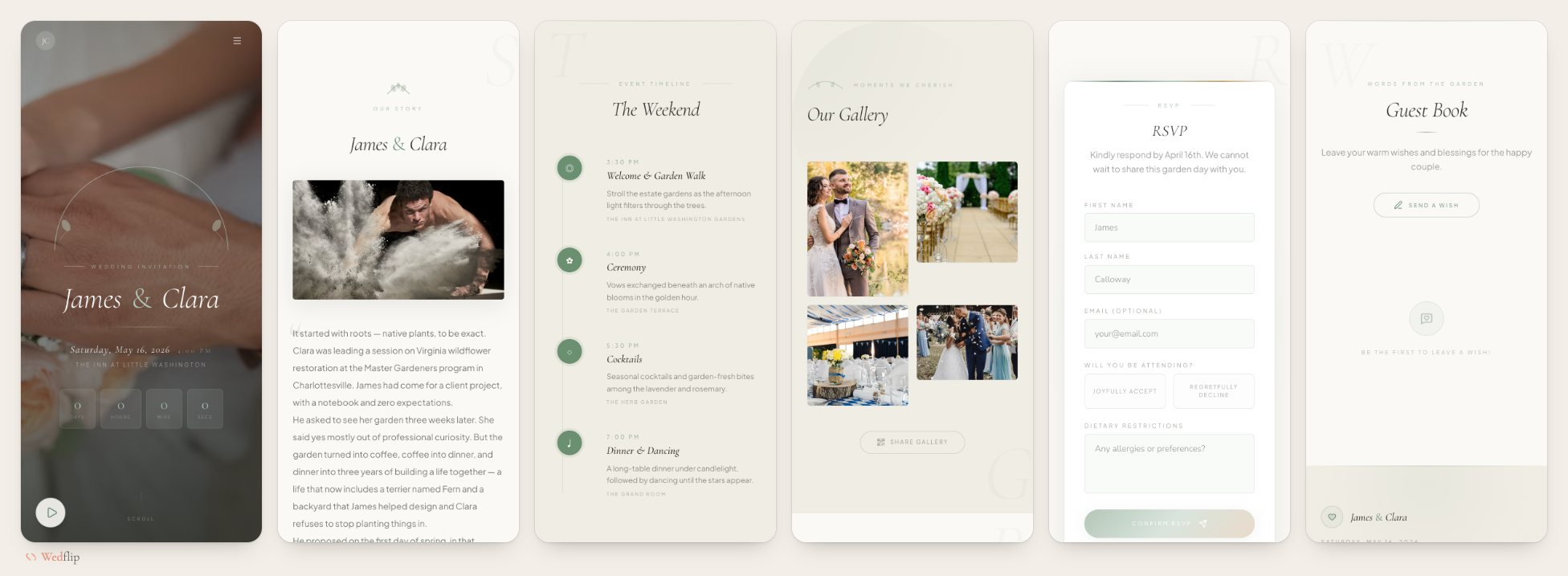
- Parisian Bloom — warm ivory and deep rose with champagne gold, Belle Époque in spirit
- Rose Petal — soft cream and dusty rose, refined and editorial
- Garden Romance — sage, cream and terracotta for a celebration in bloom
Who should avoid them:
Couples planning outdoor/rustic weddings or those who prefer a minimal, contemporary aesthetic. The decorative elements can feel mismatched with industrial or garden venues.
Modern & Minimalist Templates
Best for: Urban weddings, loft/rooftop venues, design-conscious couples, tech-savvy guest lists
Minimalist templates strip away decoration and let the content breathe. Clean sans-serif typography, generous whitespace, and large photography. They keep the RSVP easy to find because there's nothing competing with the RSVP button.
What makes them work:
- Extreme clarity — every section has one purpose
- Large, bold typography
- Full-width photo sections
- High contrast between text and background
Templates to try:
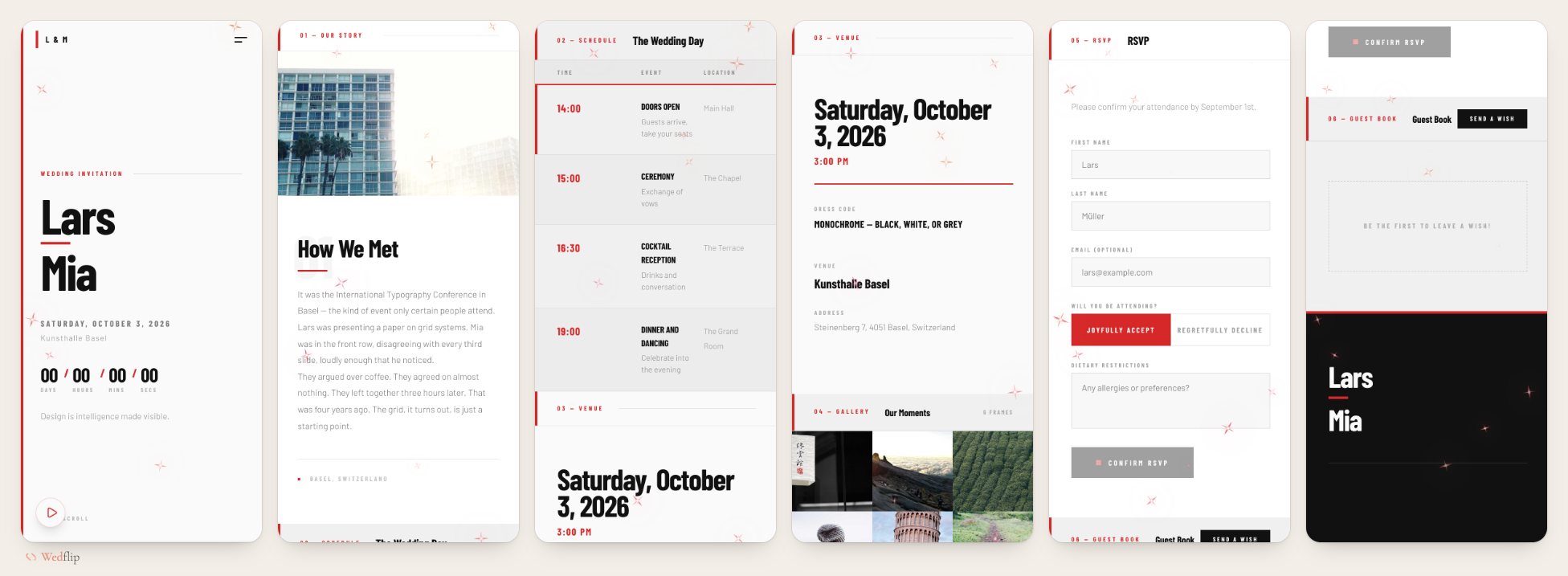
- Swiss Modern — grid-based layout, bold black type on white, a single red accent
- Tokyo Minimal — washi white and ink black with one vermillion accent
- Nordic Elm — cool birch tones, deep slate and sage, quietly precise
Who should avoid them:
Couples who want their website to feel ornate or traditional. Minimalist templates are intentionally sparse — if you want decorative elements, look elsewhere.
Elegant & Luxury Templates
Best for: Black-tie events, ballroom receptions, destination weddings at upscale venues, large guest lists
Elegant templates balance decoration with sophistication. Think deep color palettes (navy, emerald, burgundy), gold accents, and refined typography. They communicate "this is a formal event" before the guest reads a single word.
What makes them work:
- Rich color palettes that signal formality
- Gold or metallic accent elements
- Structured layouts with clear hierarchy
- Photo treatments that feel editorial
Templates to try:
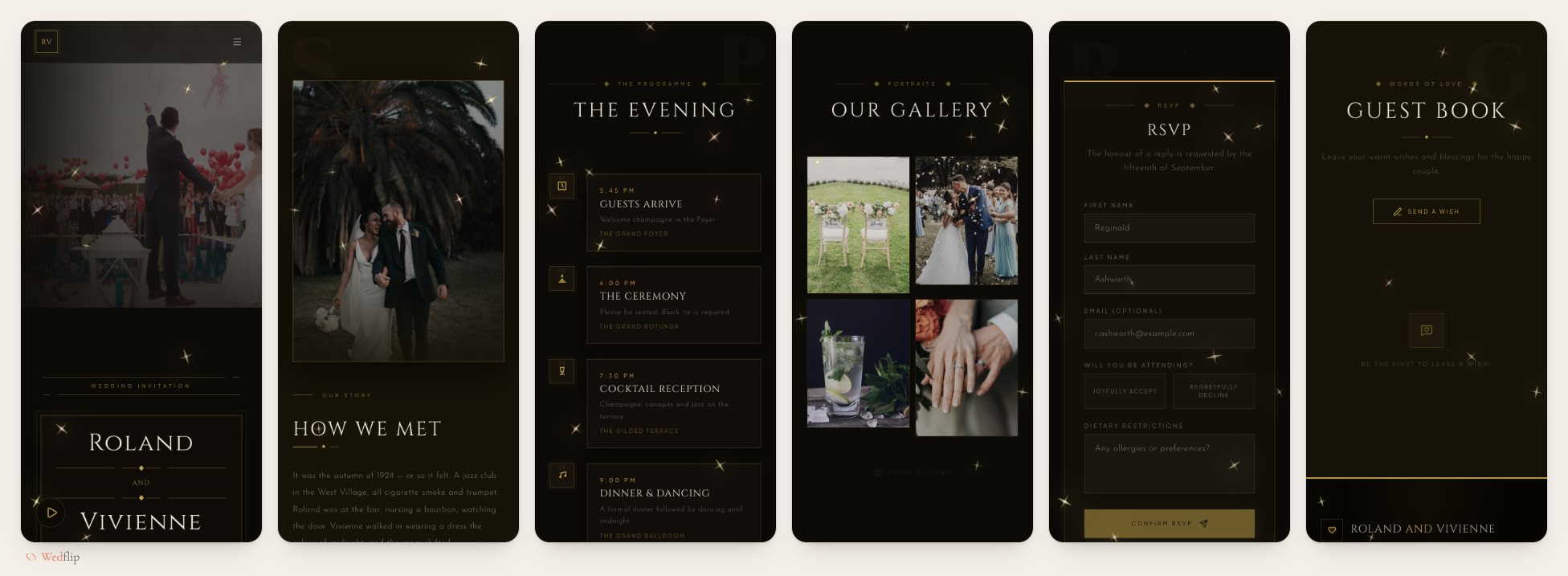
- Art Deco Luxe — charcoal and antique gold geometry, straight out of a 1920s grand hotel
- Royal Burgundy — deep burgundy and champagne gold for a black-tie evening
- Emerald Velvet — forest green and warm gold with a candlelit, estate feel
These three are premium templates, included in the Plus and Pro plans.
Who should avoid them:
Couples with casual or outdoor weddings. An elegant template for a backyard BBQ wedding creates a jarring expectation mismatch.
Rustic & Natural Templates
Best for: Barn weddings, garden ceremonies, vineyard receptions, outdoor celebrations, eco-conscious couples
Rustic templates use warm earth tones, textured backgrounds, and organic shapes. They evoke handcrafted warmth and pair perfectly with natural venues. The best rustic templates avoid cliché (no mason jars) and instead focus on genuine warmth.
What makes them work:
- Earth-tone color palettes (sage, terracotta, cream, olive)
- Textured or paper-like backgrounds
- Handwritten-style accent fonts
- Nature-inspired decorative elements (leaves, botanicals)
Templates to try:
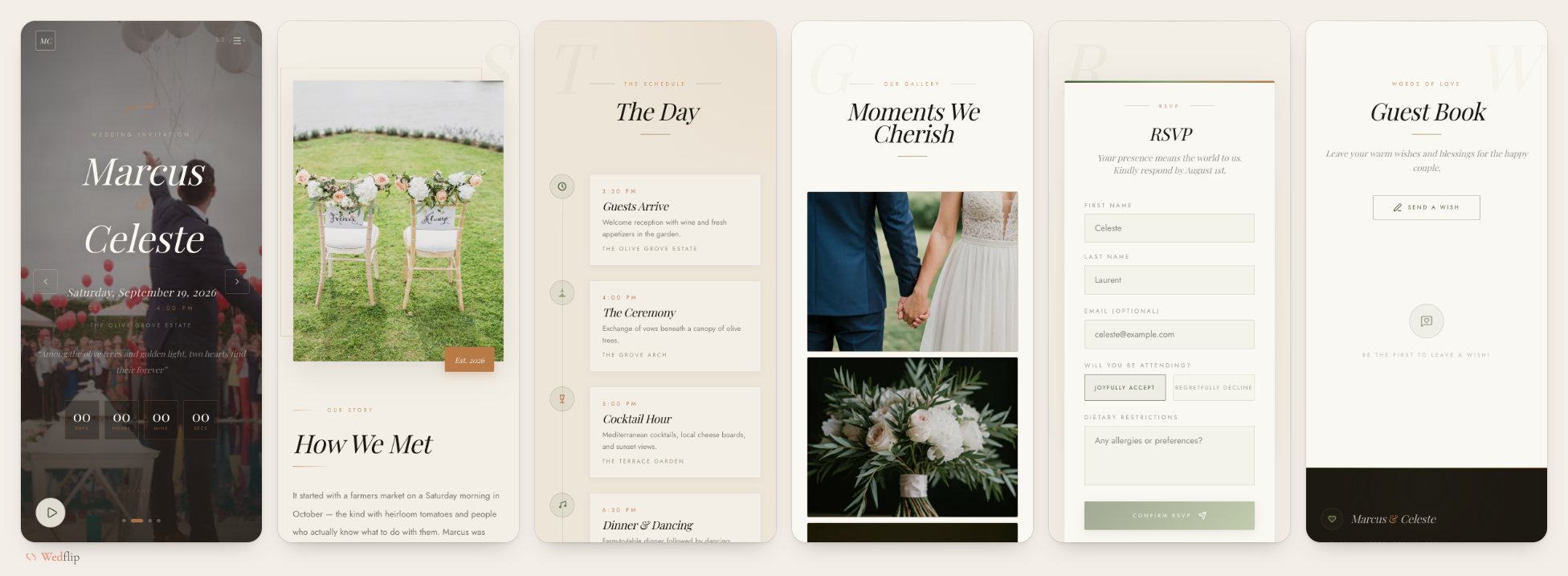
- Olive Grove — deep olive, terracotta and sun-drenched linen
- Boho Wildflower — terracotta, sage and parchment, loose and organic
- Sage & Stone — sage green and warm stone for an outdoor ceremony
- Villa Toscana — linen, espresso and Tuscan evening light for a vineyard wedding (premium)
Who should avoid them:
Couples with formal indoor venues. Rustic design elements feel out of place in a grand ballroom.
Destination Wedding Website Templates
Best for: Weddings abroad, resort and villa weekends, multi-day celebrations where most guests travel
A destination wedding website works harder than a local one. Guests book flights and rooms months ahead, so the site has to answer practical questions first: where to stay, how to get there, and what happens on each day of the weekend.
What destination guests need:
- Travel details — the nearest airport and how to get from there to the venue
- A hotel block — a direct link to reserve rooms at your group rate
- A schedule across days — welcome drinks, ceremony, farewell brunch
- RSVP with a clear deadline — so you can confirm numbers with the venue in time
- A map for every location — guests in an unfamiliar town rely on it
Templates to try:
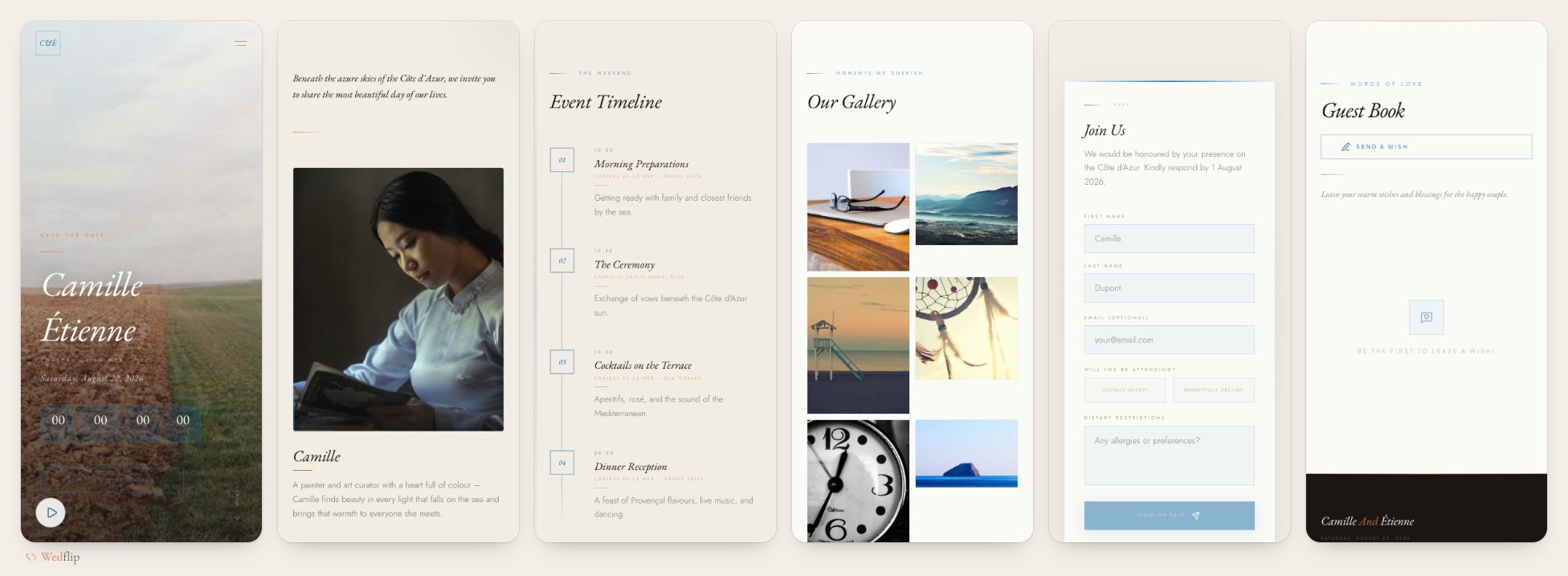
- Tuscan Villa — terracotta and sun-baked stone for a countryside wedding in Italy
- Bali Serenity — amber, terracotta and deep teal for a tropical ceremony
- Azure Riviera — azure sea and white stone for a Mediterranean coastal celebration
Each one includes an RSVP form with a deadline, a countdown, event details with map links, and a hotel block link.
Invitation-Style Templates That Open Like an Envelope
Best for: Couples sending a digital invitation instead of (or alongside) paper, and anyone who wants the first tap to feel like an occasion
These templates open on a sealed envelope, a pair of doors or a single object. The guest taps it, the invitation opens, and the full website is underneath: schedule, map, photos and RSVP. They do the job of an e-invitation and a wedding website with one link.
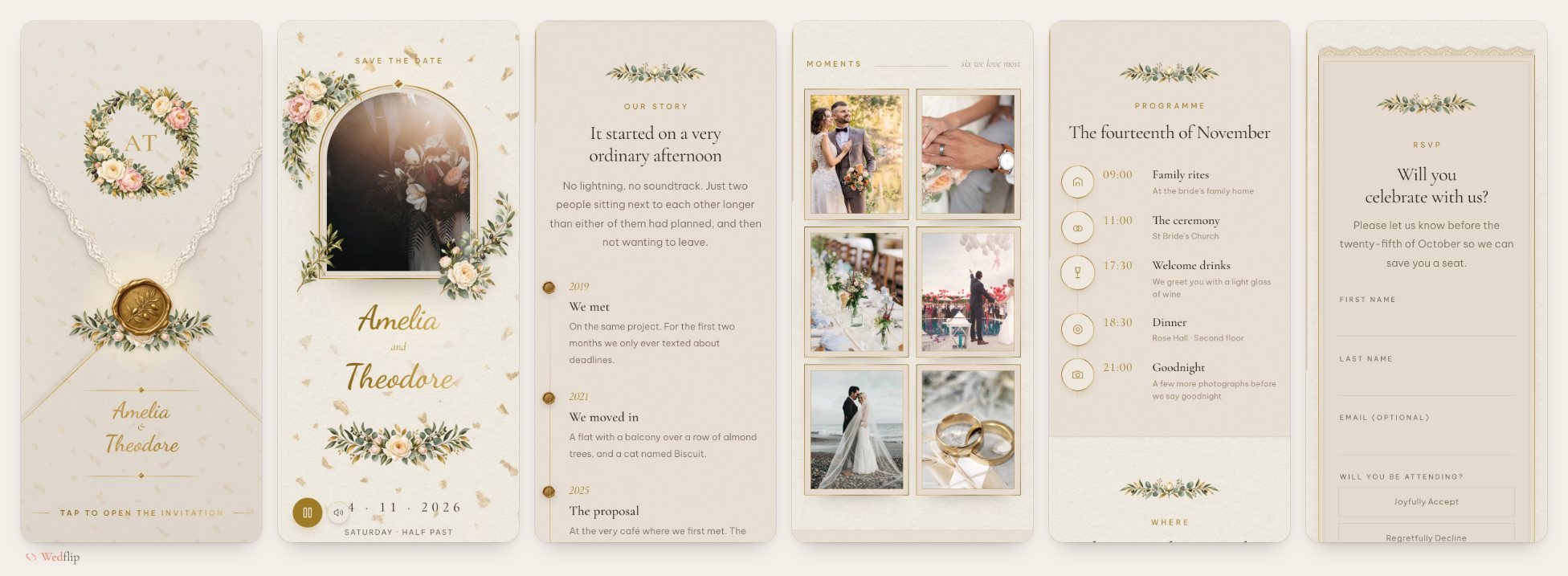
Templates to try:
- Sponsalia — a letterpress envelope with a gold wax seal, opening onto cream paper and antique-gold engraving
- Champagne Arch — a kraft envelope sealed with gold rings, opening onto a modern three-ink invitation
- Lace Gatefold · Pearl — two ivory lace doors that swing open towards the guest
- Blue Hour Butterfly — dusty-blue paper and one pearl butterfly that follows guests down the page
All four are premium templates, included in the Plus and Pro plans.
Who should avoid them:
Couples whose guests mostly want the facts fast, such as a small courthouse wedding with a lunch after. The opening adds one tap before the details; it is charming once, but a plain template gets there sooner.
Bold & Editorial Templates
Best for: Couples who want the site to look like a magazine spread, a scrapbook or an art print rather than a classic invitation
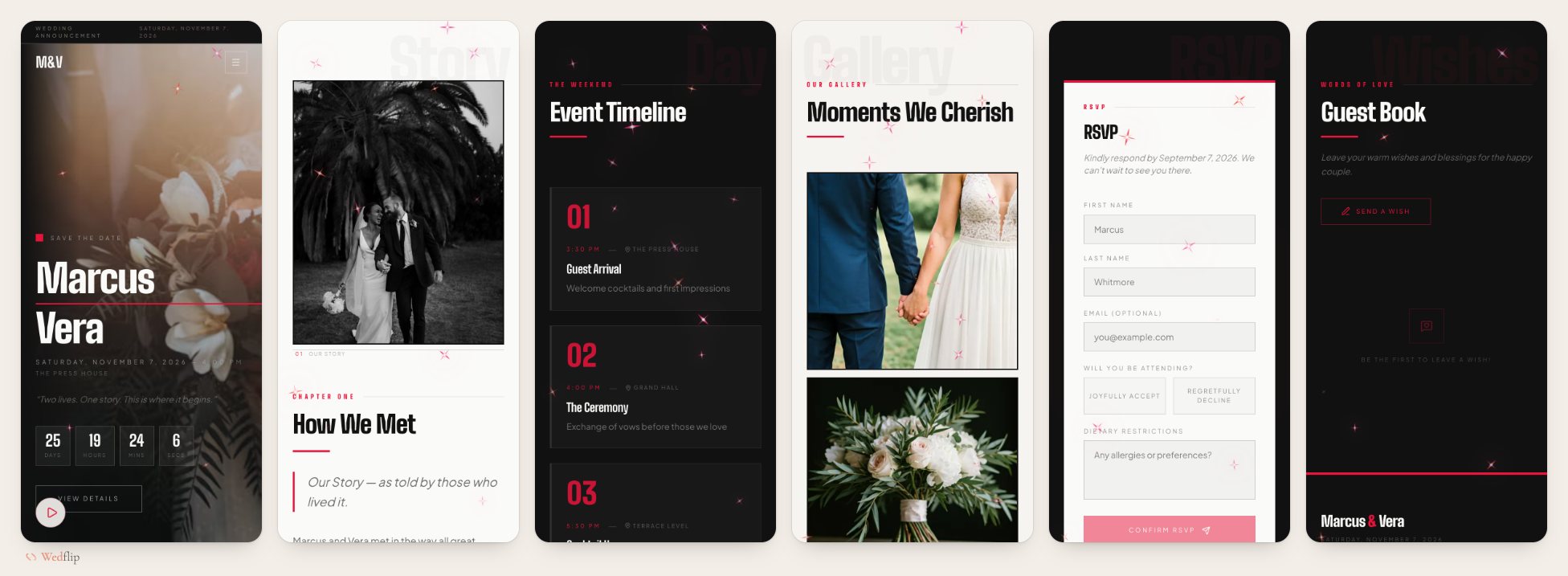
Templates to try:
- High-Contrast Editorial — black and white magazine layout with a crimson accent
- Love Scrapbook — candid prints taped onto cream paper with handwritten notes
- Neo-Memphis Romance — bold squiggles and colour panels, closer to a gallery show than a greeting card
Who should avoid them:
Couples with a formal or traditional guest list. Strong graphic design reads as fun to some guests and as hard to scan to others, so check that the date, venue and RSVP still stand out.
Free vs Premium Templates
Wedflip has 162 templates. 62 of them are free to use during the 30-day free trial, which needs no credit card. To keep a site online after that, you pay once rather than subscribe:
- Plus — $15 once: every template, including premium ones, and your site stays online for a year
- Pro — $29 once: every template, your site stays online for good, and you can connect your own domain
You can switch templates at any time, so it is fine to start with a free design and move to a premium one later. Your details stay with the site; just check each section after a switch, since templates differ in which sections they show. See pricing for the full comparison.
How to Choose the Right Template
Don't start with the template — start with your venue. Your wedding website should feel like a natural extension of the physical event. Here's a quick decision framework:
| Your Venue | Recommended Style |
|---|---|
| Church + ballroom | Elegant or Romantic |
| Garden + tent | Rustic or Romantic |
| Rooftop + loft | Modern Minimalist |
| Beach + resort | Modern or Rustic |
| Restaurant + intimate | Minimalist or Elegant |
| Barn + vineyard | Rustic |
| Destination weekend | Destination |
| E-invitation instead of paper | Invitation-style |
The One Rule That Matters Most
Your template should make the RSVP button the most obvious thing on the page. Everything else — photos, love story, travel info — is secondary. The purpose of your wedding website is to collect RSVPs. Choose the template that makes that as easy as possible.
Comparing Wedflip with Zola, The Knot or Joy? Those platforms pair a wedding website with registry and planning tools. Wedflip is an independent builder focused on the website itself: design-led templates, RSVP tracking and a free start, with the Plus and Pro plans paid once rather than as a subscription.
Template Personalization Tips
Once you've chosen your style, these small changes make a big difference:
- Replace placeholder photos with your own — even phone photos work; authenticity beats perfection
- Edit the welcome message — two sentences about what this day means to you
- Customize colors to match your palette — most builders let you adjust primary/accent colors
- Reorder sections — put the most important info (date, venue, RSVP) first
- Test on your partner's phone — not yours; you've seen it too many times to catch issues
The Templates Guests Actually Prefer
When guests visit a wedding website, a few things matter most:
- A site that loads fast matters more than fancy animations
- The RSVP form should be visible without scrolling
- The venue address should come with a map link
- A FAQ section helps (dress code, parking, kids policy)
- Guests like seeing the couple's photos
The message? Guests care about function over form. A beautiful template that also works well beats a stunning template that's hard to navigate.
Frequently Asked Questions
What should a wedding website template include?
At minimum: your names and date, the ceremony and reception details with a map, a schedule, travel and hotel information if guests are coming from far away, a short FAQ, and an RSVP form with a deadline. Everything else, from your story to a photo gallery, is optional.
Are wedding website templates free?
On Wedflip, 62 of the 162 templates are free to use during the 30-day trial. Premium templates, and keeping the site online after 30 days, come with the Plus ($15 once) or Pro ($29 once) plan.
Can I change my template after I publish?
Yes. Your names, dates, photos and RSVPs are saved with the website rather than the design, so you can switch templates whenever you like. Templates differ in which sections they show, so look over the site once after switching.
Do these templates work on phones?
Yes. Most guests open a wedding website from a text message or a QR code, so every template is designed for phone screens first and scales up to desktop.
Find Your Perfect Template
Browse all 162 Wedflip wedding website templates by style, open a live preview of any of them, and try one free for 30 days.